Process
Features
Chrome Extension
Pricing
ROI Calculator
Compare
Contact
Login
Process
Features
Chrome Extension
Pricing
Contact
Login
How to Install Saleslinkup Chrome Extension Manually?
1. Download the latest extension packaged (
It's free
).
Download
(v1.2)
2. After downloading the extension package as a zip file, unzip the file to a directory.
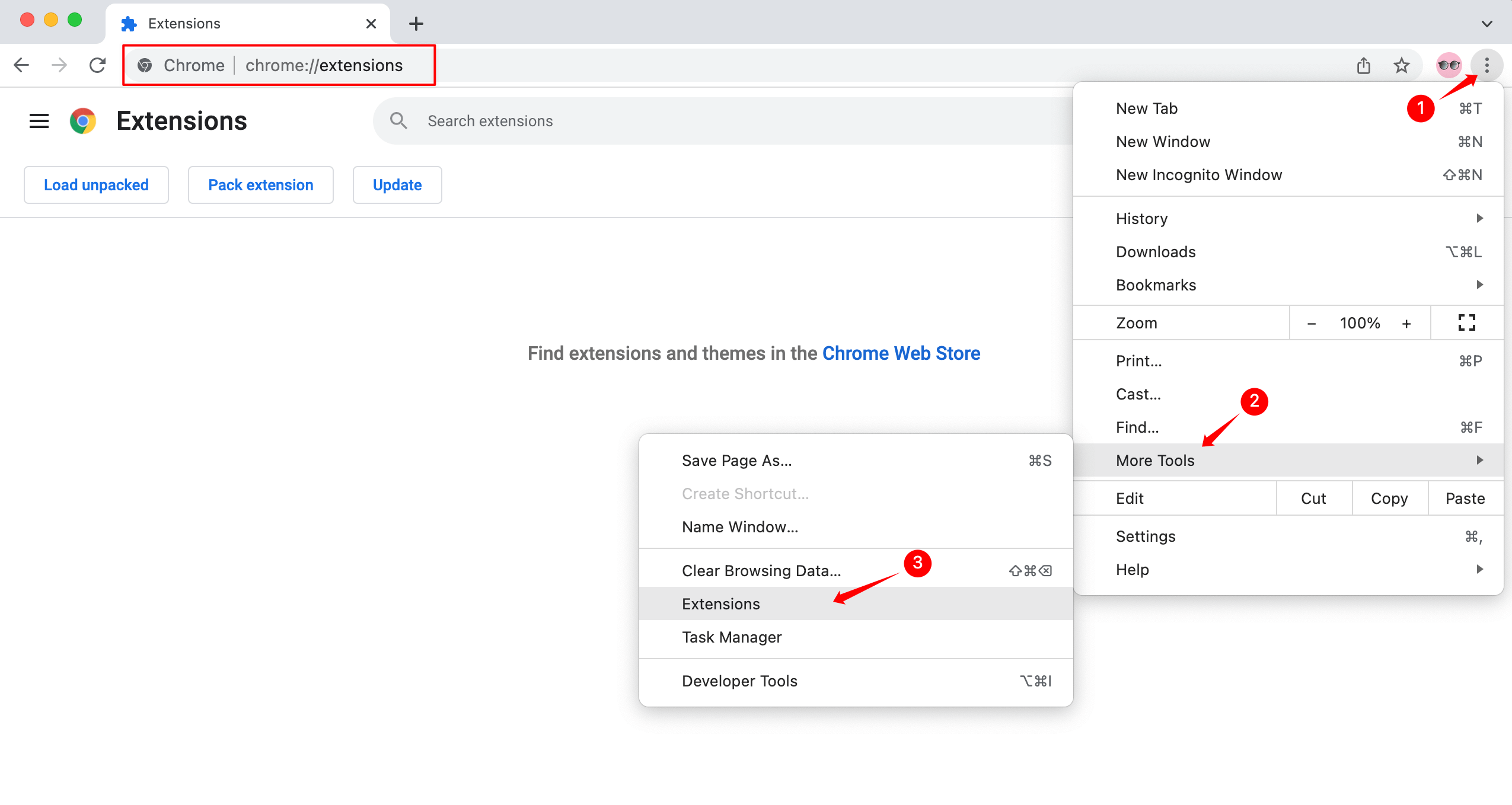
3. In chrome, visit
chrome://extensions
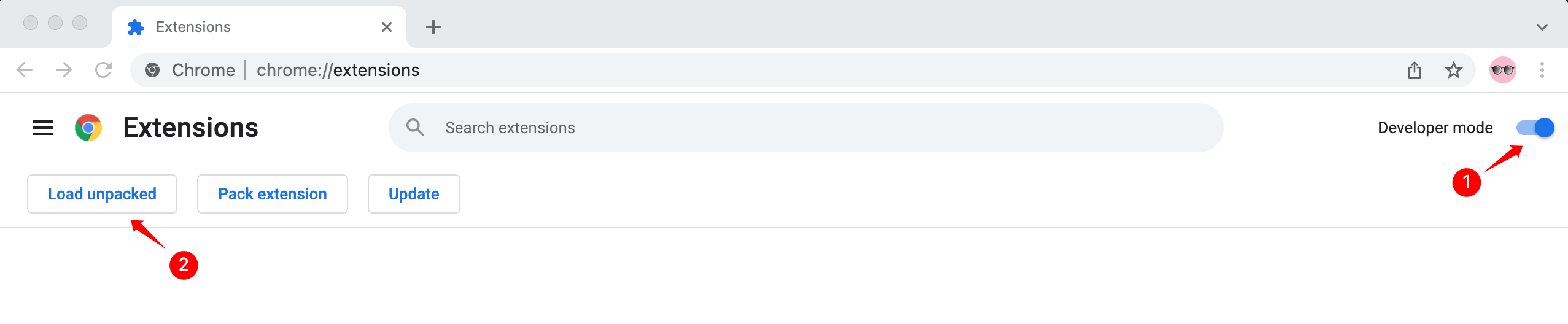
4. Enable
Developer mode
, click
Load unpacked
, and then select
saleslinkup-production-extension
Folder
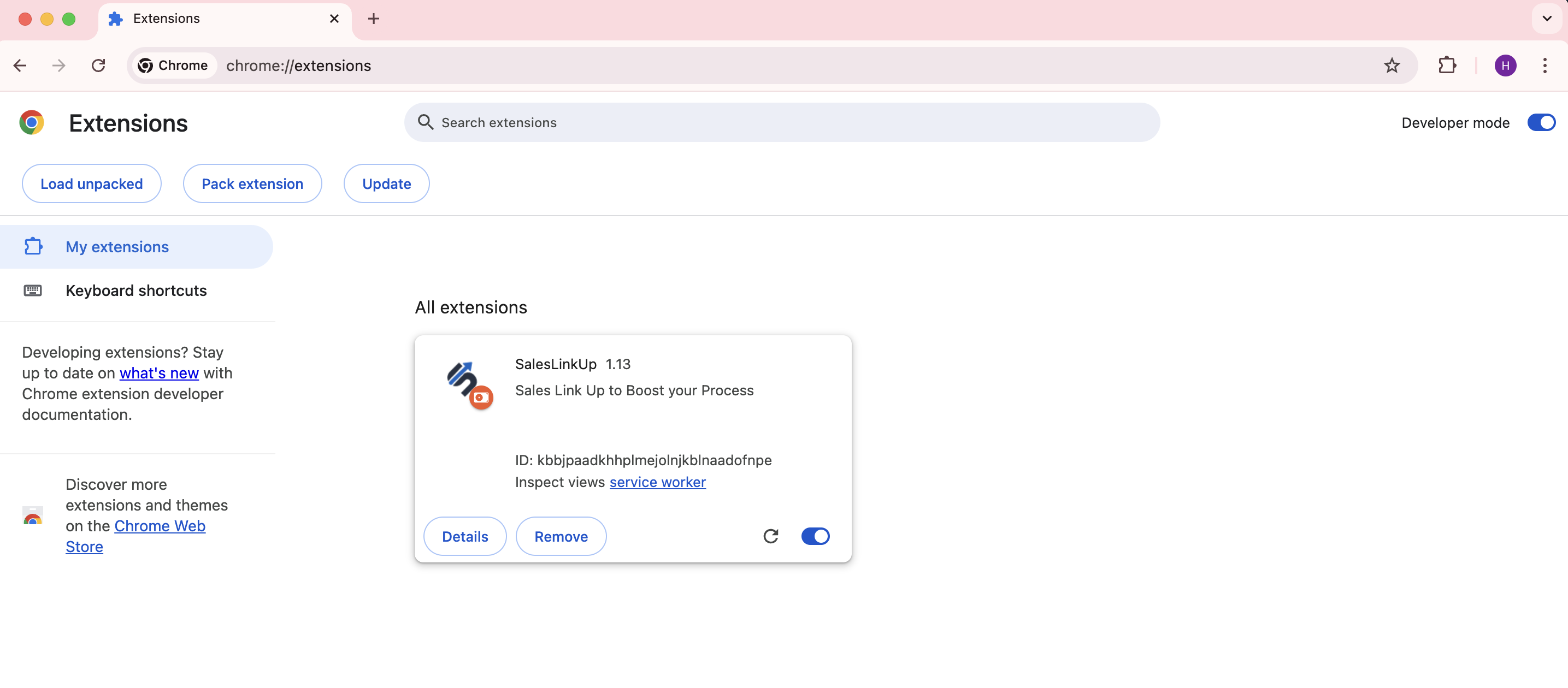
5.Done!
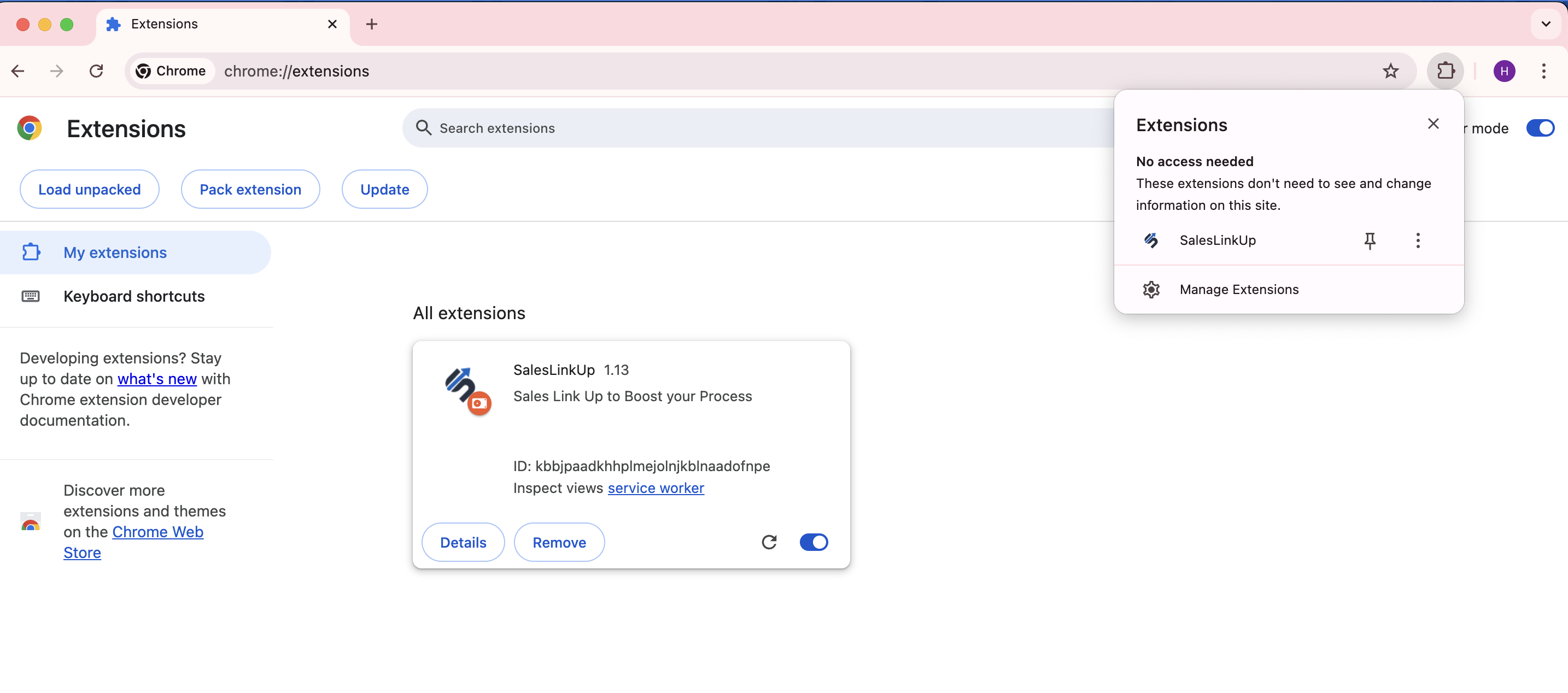
6. The extension is installed, and you are ready to go. For easy access to the extension, pin it and it will appear on the toolbar.
🔒 Lock
✕
Your browser does not support the video tag.